Note List
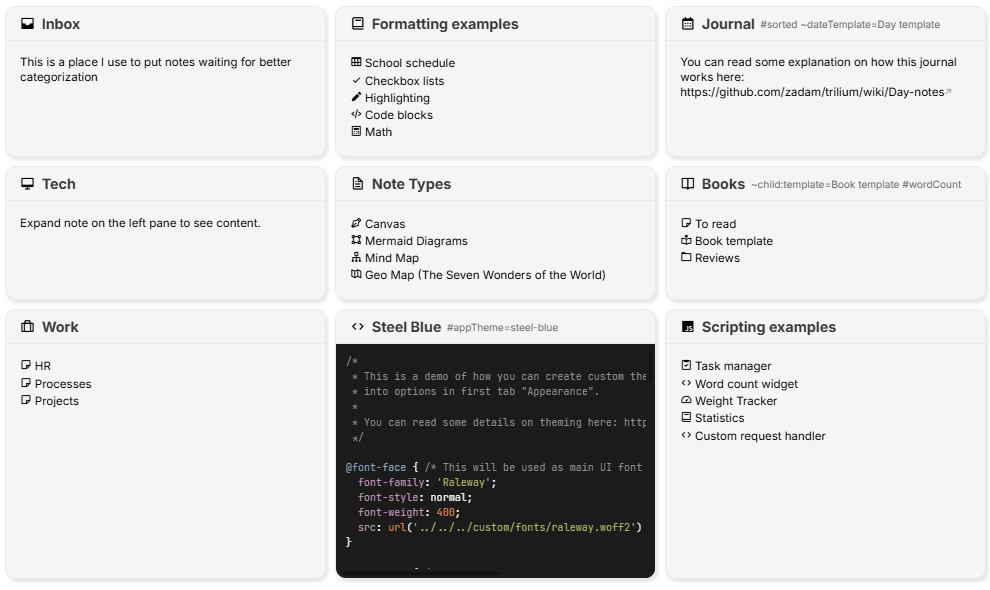
When a note has one or more child notes, they will be listed at the end of the note for easy navigation.
Configuration
- To hide the note list for a particular note, simply apply the
hideChildrenOverviewlabel. - For some view types, such as Grid view, only a subset of notes will be displayed and pagination can be used to navigate through all of them for performance reasons. To adjust the number of notes per page, set
pageSizeto the desired number.
View types
The view types dictate how the child notes are represented. By default, the notes will be displayed in a grid, however there are also some other view types available.
Generally the view type can only be changed from the Collection Properties, but it can also be changed manually on any type of note using the #viewType label.
Saved searches use Search preview by default: it draws each result as a snippet card with the text and attributes that matched. It is limited to search notes and is described in Search.